guacamedia
EN

Guacamedia Web

Your website, customers and sales in the same place.

Closed betaAccess on request, a few projects at a time

Guacamedia Web is the platform we use to build and run our clients' websites. It holds what usually lives in five different tools: the site editor, the CRM, the shop, the conversations inbox, the analytics and an artificial intelligence that works on your data.

It is in closed beta: the websites we look after already use it, and we open it to a few projects at a time.

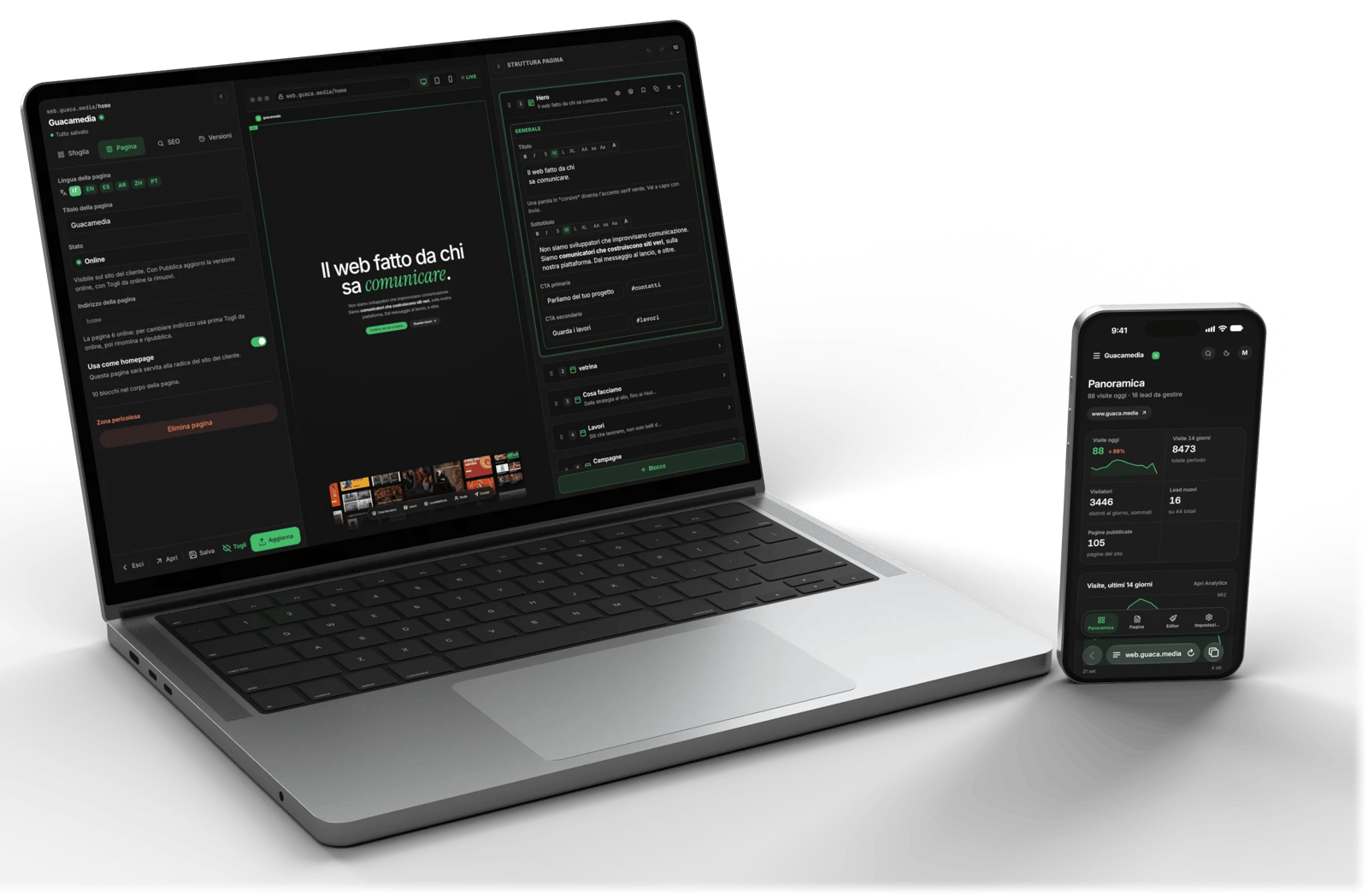
Guacamedia Web on a MacBook, with the editor of the guaca.media site, and on an iPhone, with the workspace overview
What it does

One console, all the work.

These are real screens: our own workspace on Guacamedia Web, with test data instead of our clients' data.

DenkHub Web Editor

You change the site yourself, block by block.

Text, photos and whole pages are edited on the real preview of the site, which updates as you type. Every save is a version you can go back to, and when you are ready you publish with one button.

  • Live preview on desktop and phone
  • Versions and restore for every page
  • Editor on the phone too, for quick fixes
  • Several languages, with assisted translation
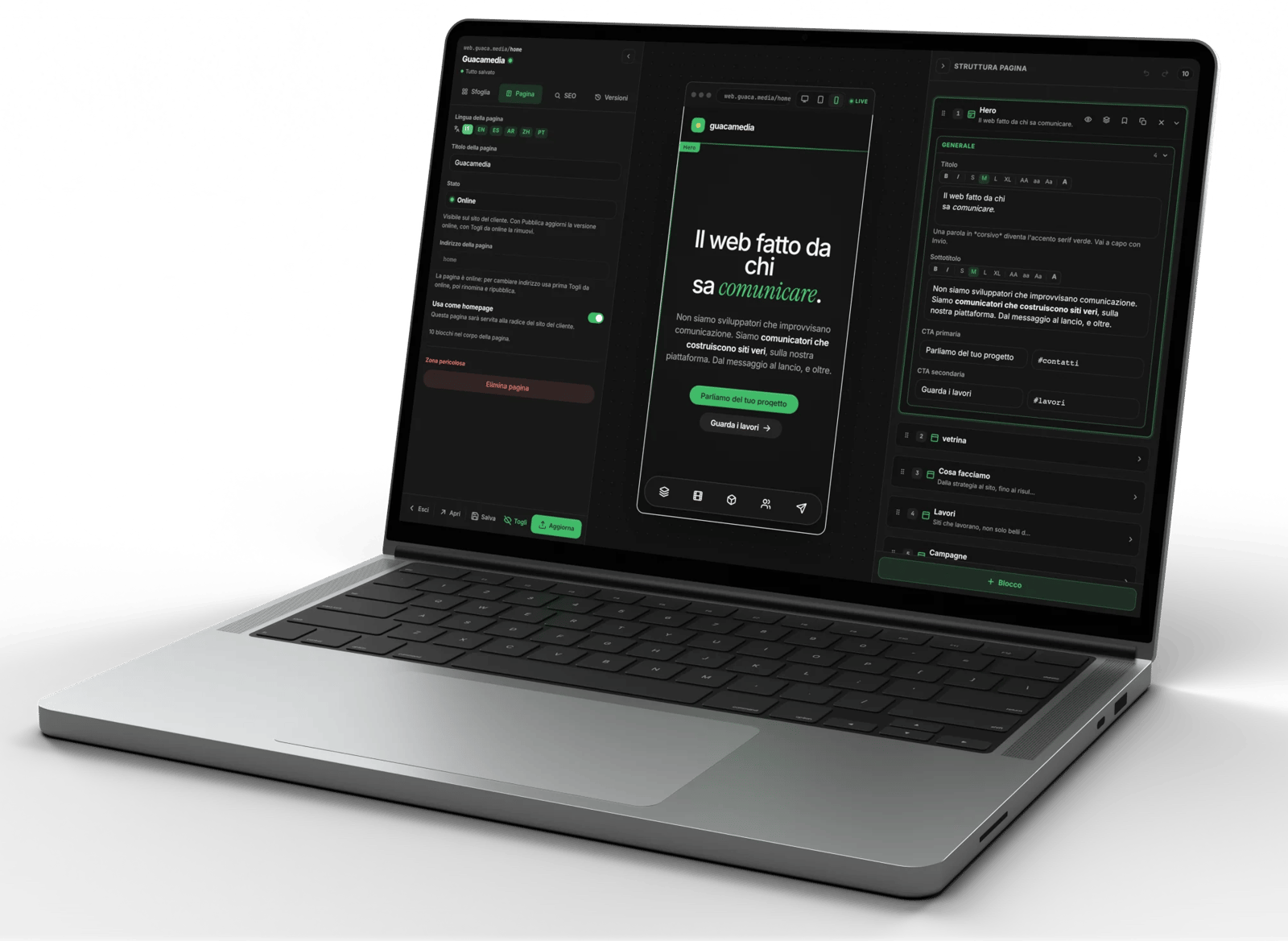
The Guacamedia Web editor on a MacBook, with the phone preview of guaca.media and the fields of the selected block
Analytics

Who arrives, from where, and what they buy.

First-party analytics, with no external tools to connect: visits, channels, campaigns, pages and the checkout path up to the paid order. You also see who comes from AI assistants such as ChatGPT.

  • Who is on the site right now
  • Campaigns with tracked links
  • The shop path: cart, checkout, purchase
  • Cities and source channels
The Analytics overview on a MacBook: daily visits, people active right now and performance by source
Applied Intelligence

Ask your data.

An artificial intelligence inside the console that reads your site's analytics, orders and pages. You ask it a question as you would ask a colleague, and it answers with the real numbers. In the editor it writes and translates, in conversations it drafts replies.

  • Questions about your analytics, answers with numbers
  • Copy and translations inside the editor
  • Reply drafts for customers, to review and send
Applied Intelligence open next to Analytics: a question about the Instagram campaign and the answer with numbers
CRM and deals

Every person with their story.

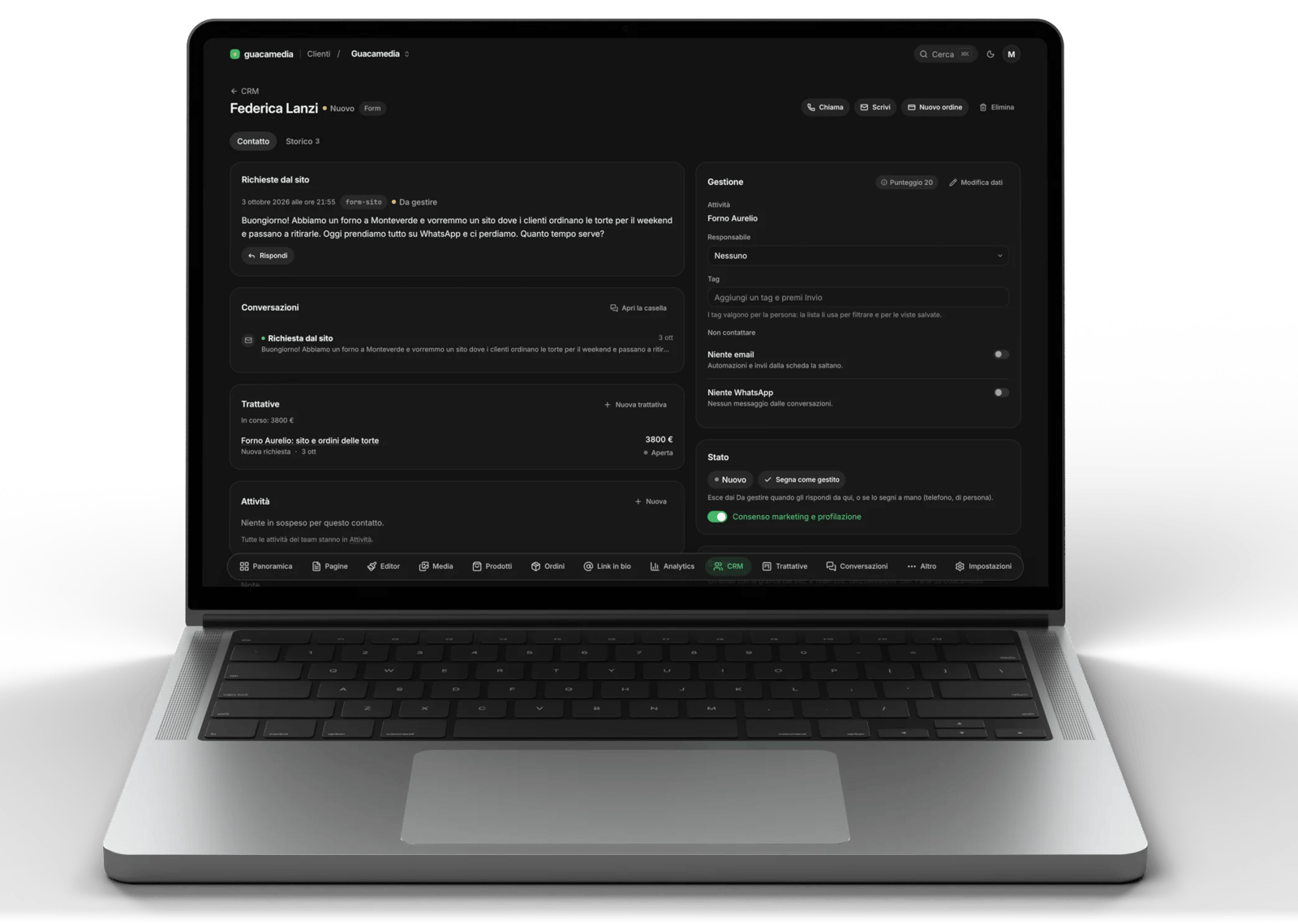
Whoever writes from the site, buys or signs up to the newsletter ends up in a single record: requests, orders, emails and team notes. Deals are followed on a board, from the first request to the closed job.

  • One record per person, with everything they did
  • Where every contact comes from: channel and campaign
  • Deals in stages, with value and deadlines
  • Contact import and export
A contact record in the CRM: the request from the site, the conversation and the linked deal
Conversations

Email and WhatsApp in one inbox.

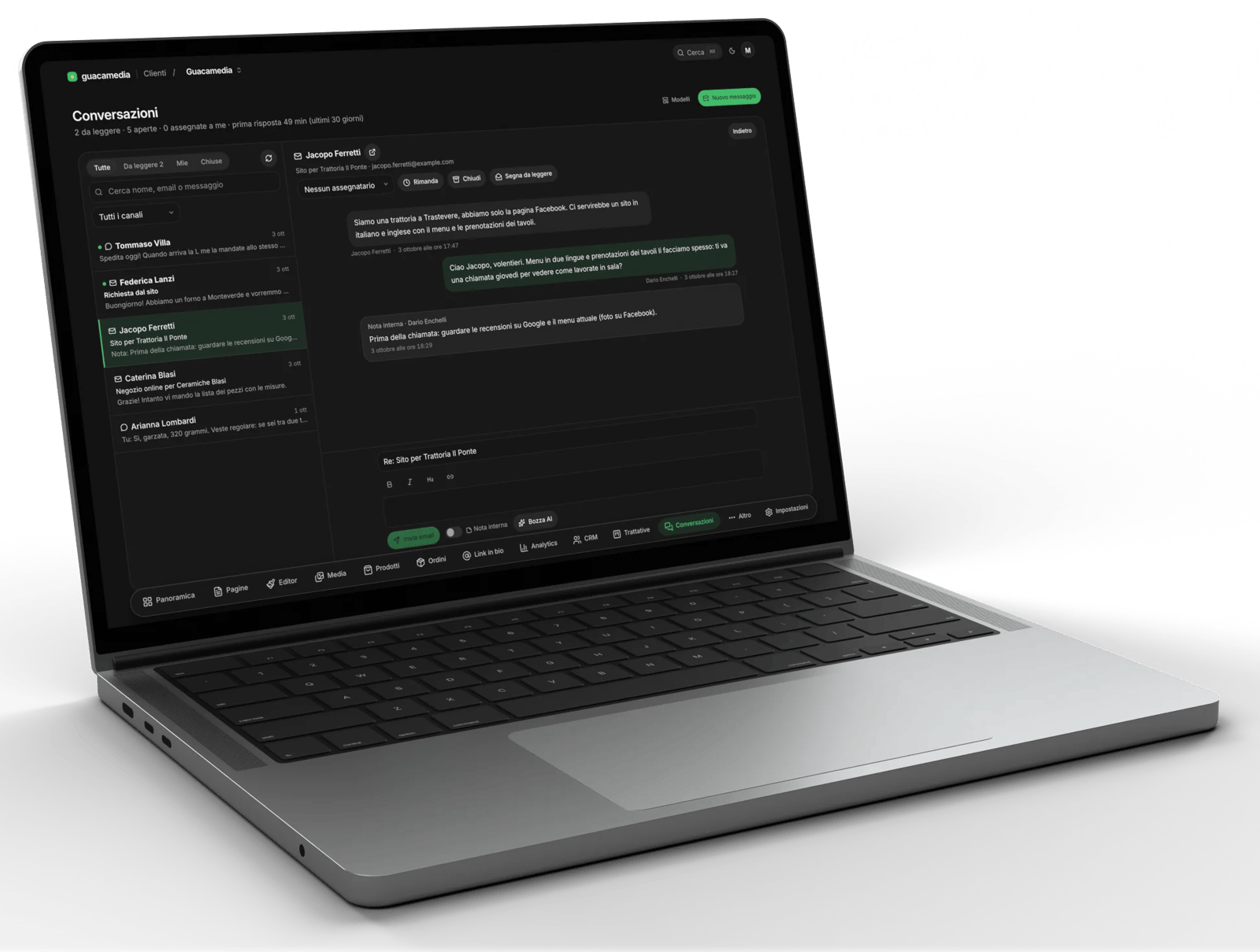
Emails from your own domain's mailboxes, WhatsApp messages and requests from the site all land in the same place, each in its own thread. You reply from there, with internal notes the customer never sees.

  • Your own mailboxes, not an address of ours
  • WhatsApp through the official API
  • Internal notes and team assignment
  • Templates for the replies you keep writing
Conversations on a MacBook: the list of threads and an email with the reply and an internal note
Shop

Sell with no cut on your sales.

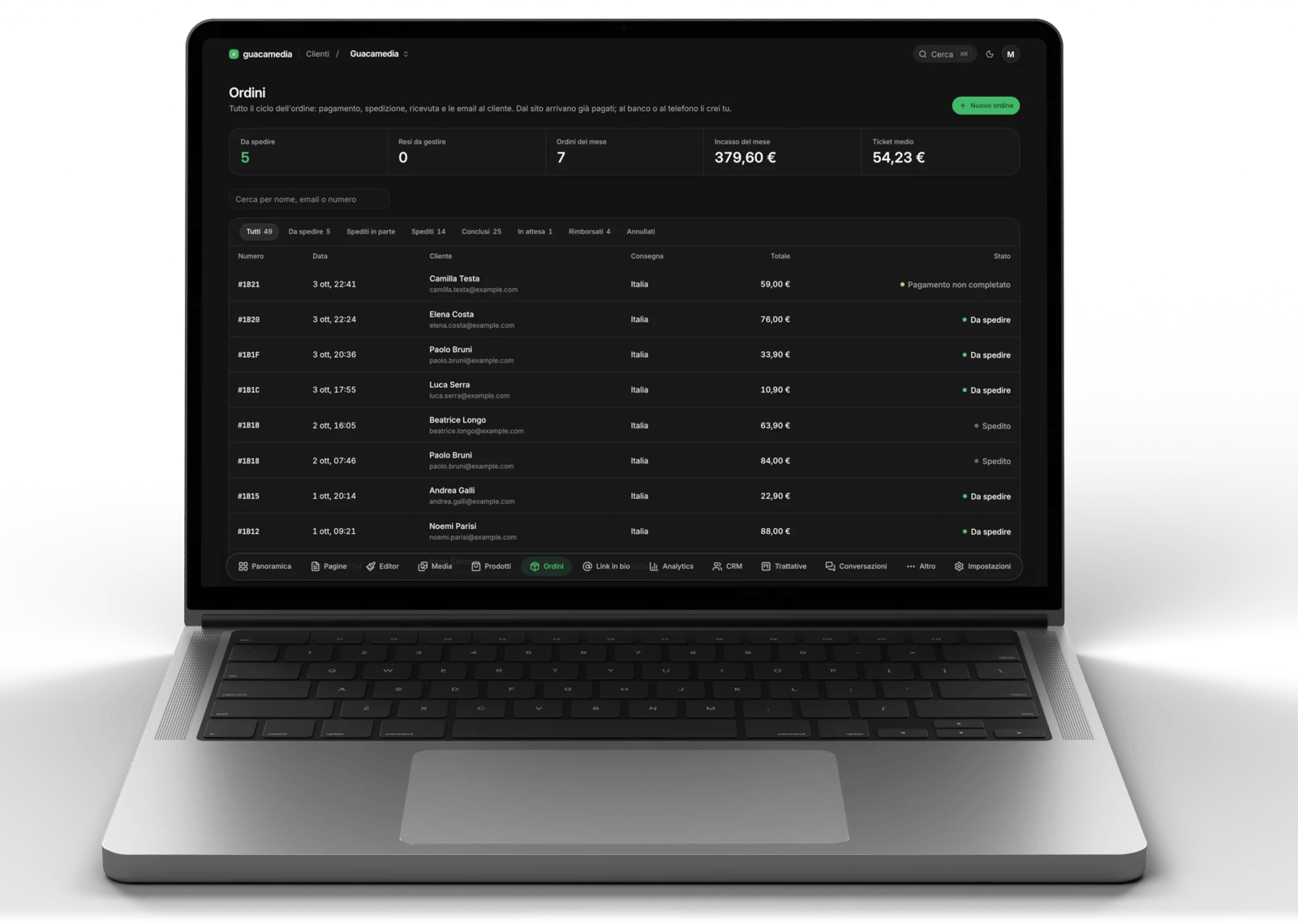
Catalogue with variants and pre-orders, Stripe payments to your own account, orders with shipping or pickup, receipts, returns and refunds. We take nothing from your sales: there is only Stripe's fee.

  • Card, Apple Pay and Google Pay
  • Shipping zones, multiple parcels and tracking
  • PDF receipt and an email to the customer at every step
  • Manual orders, at the counter or over the phone
The shop orders on a MacBook: to ship, monthly takings and the list of orders with their status
On the phone

The console fits in your pocket.

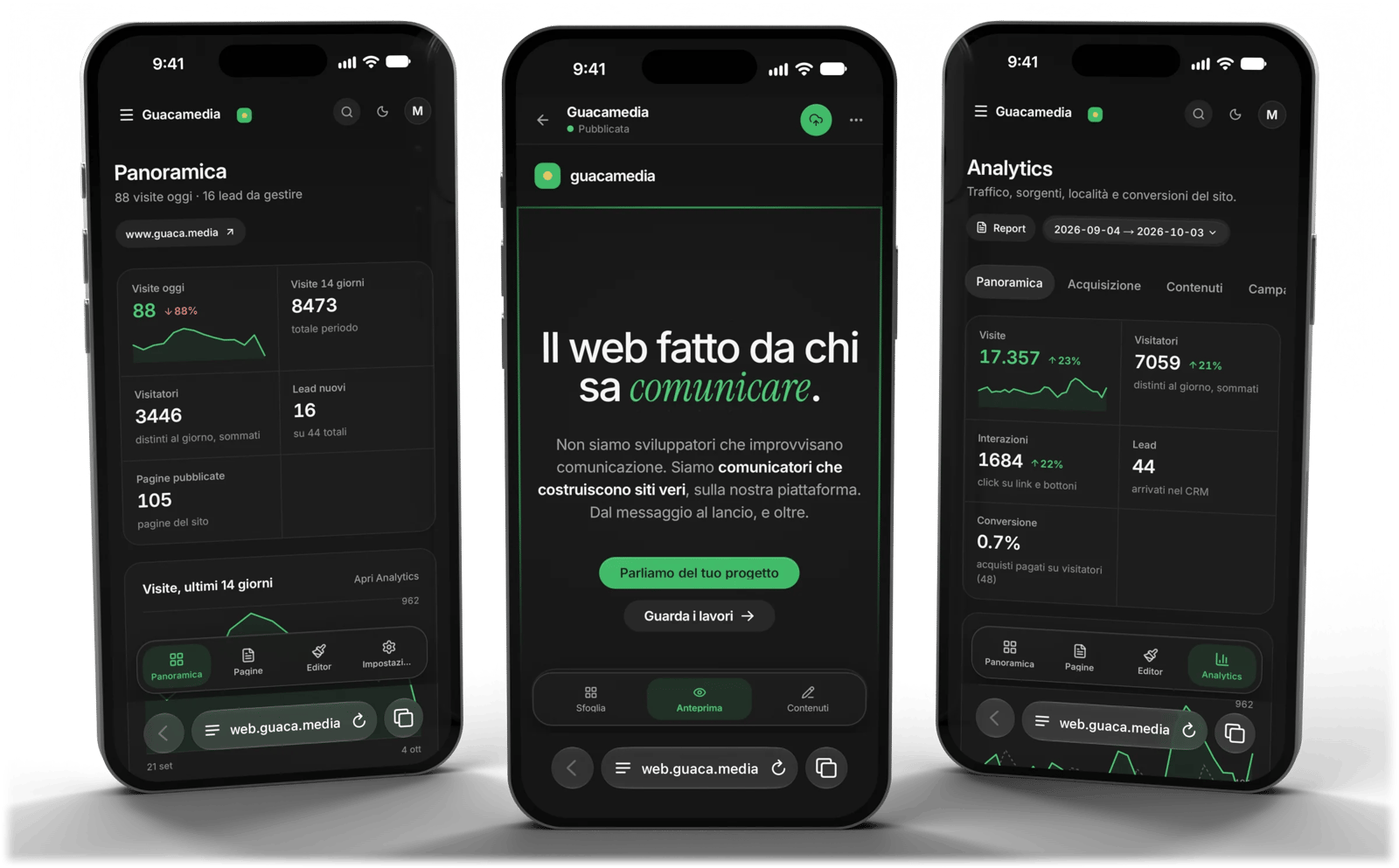
Every section works on the phone too: check the analytics, reply to a customer or fix a page from the browser, with nothing to install. For orders and contacts there is also the Orders & Customers app.

Three iPhones with the Guacamedia Web console: site overview, analytics and editor
And also

What else is in there.

  • Newsletter

    Lists, campaigns designed like your site, sign-ups and unsubscribes handled.

  • Automations

    Emails and automatic steps after a form, an order or a deal.

  • SEO and languages

    Sitemap, structured data, llms.txt and up to 15 languages per site.

  • On your hosting

    The site is published as fast static pages, on your own domain's server.

  • Link in bio

    The page for Instagram and TikTok, in your style, with clicks counted.

  • Media

    Images and videos served from a CDN, and for each one you know where it is used.

  • Discounts and loyalty

    Discount codes, loyalty card and a scanner for the physical shop.

  • Bookings and appointments

    Tables for restaurants, a calendar for anyone who works by appointment.

  • Team and log

    Access for your team and a log of who published what.

Questions

About the beta.

What does closed beta mean?

Guacamedia Web is already in use on our clients' websites, but we open it to a few projects at a time so we can follow them closely. The features grow together with them.

Can I get it without a website made by you?

Not for now: the beta is for the projects we look after, where site and platform are built together. If you already have a website, we can bring it in.

How much does it cost?

It depends on the project: the platform is part of our work on the website, and we tell you the full price before we start. We take no cut on your sales.

Does my data stay mine?

Yes. You can export your contacts whenever you want, payments go to your own Stripe account and the published site lives on your hosting.

Access

Request access to the beta.

Tell us about your project in two lines: what website you have, what you sell, what you need. A person replies.

We reply within 48 hours. If the project fits the beta, we try it together on your content.